What made reporting difficult?
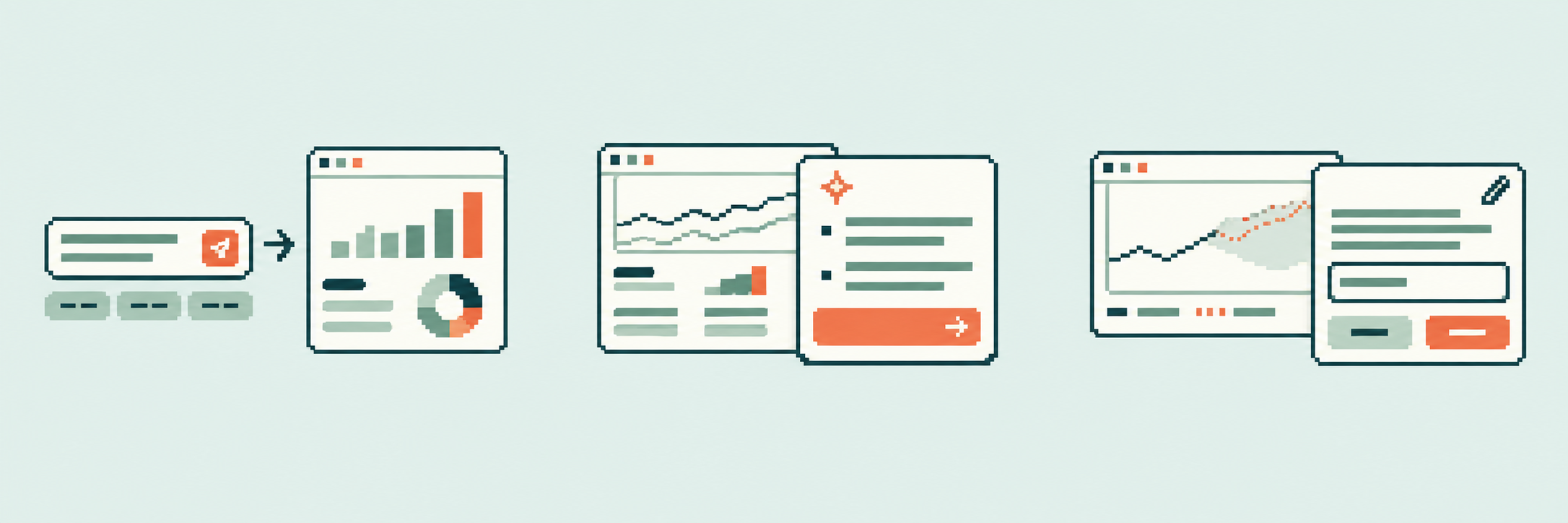
Across interviews, SMEs repeatedly mentioned friction in report setup, terminology, repetitive work, and flexibility.
Lending Insights
Allied Solutions’ Lending Insights is a BI platform that helps credit union lending teams review loan performance, monitor risk, and prepare monthly reports. Its legacy reporting tool made these tasks difficult with confusing labels, dense filters, and limited chart controls. This project redesigned the experience with customizable dashboards, easier report creation, real-time updates, and AI-generated forecasts and summaries that allow users to complete reporting tasks.

Background
Allied Solutions’ Lending Insights is a BI reporting platform used by credit union lending teams to review loan performance, monitor risk, and build reports for their day-to-day decision making.
But the legacy experience made even common reporting tasks difficult. Confusing labels, dense filters, and limited chart controls required users to spend extra time configuring reports.
Rather than simply redesigning the interface, we focused on creating a faster, more self-service reporting experience where users could build, customize, and understand reports with less effort.
Current Experience
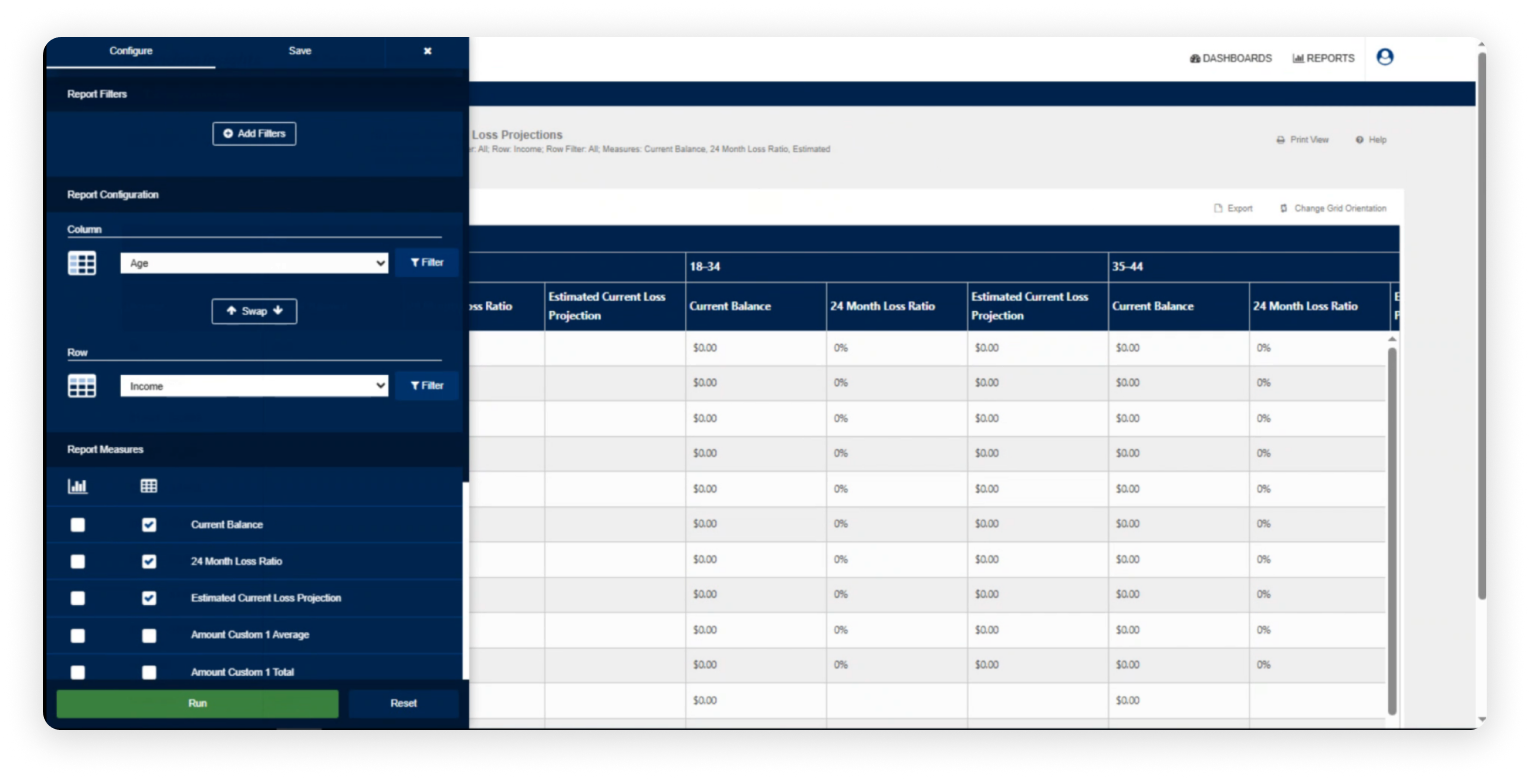
Users had to understand technical reporting terminology and ambiguous labels before they could confidently configure their reports.
Long, unstructured lists and multiple configuration steps made it difficult for users to quickly find and apply the filters they needed.
Configuration options were presented simultaneously, leaving users to determine the correct sequence for building, running, and saving a report themselves.
Comparative Analysis





A single dashboard with customizable widgets, ready-made reports, and easy filtering helps users find information they need faster.
Competitor tools placed key actions in predictable locations and paired icons with clear labels to reduce cognitive load and confusion.
AI features help users ask questions, generate reports, receive summaries, view forecasts, and get alert based on their data.
INTERVIEW
I conducted semi-structured interviews SMEs to understand their reporting workflows, common tasks, and challenges with existing platforms.
Across interviews, SMEs repeatedly mentioned friction in report setup, terminology, repetitive work, and flexibility.
Building a report takes too many steps. A guided, step by step flow would make this easier.
SME 01Some labels feel internal to the system. Maybe use terms that clearly match the data
SME 02We often rebuild similar reports from scratch...saved view or flexible dashboards would help
SME 03The data is there, but it still takes time to interpret. Summaries and trends would make it easier.
SME 02Secondary Research
Instead of adding AI for its own sake, we focused on where it could reduce repetitive work and mental effort.
We defined AI as a support tool that helps users explore data faster and understand key patterns.
Users can describe what they want instead of manually setting complex filters. AI then creates a starting report structure.
AI summarizes key changes and patterns so users can understand the data without comparing every point manually.
AI uses past data to suggest possible trends, while keeping the results editable so users can review and adjust by themselves.
Direction
Based on our research and interviews, we defined three key directions for improving the service.
Explore the data you need faster with intuitive filters and natural language search.
Organize data in your way to see key information at a glance and analyze it in depth.
Let AI summarize key insights and make predictions to support better decisions.
Design System
01
Primary Colors
The primary brand color used most frequently.
02
Secondary Colors
Used for secondary status indicators, charts, and tags.
03
Neutral Colors
Used for backgrounds, text, and borders.
Final Design
Custom reporting
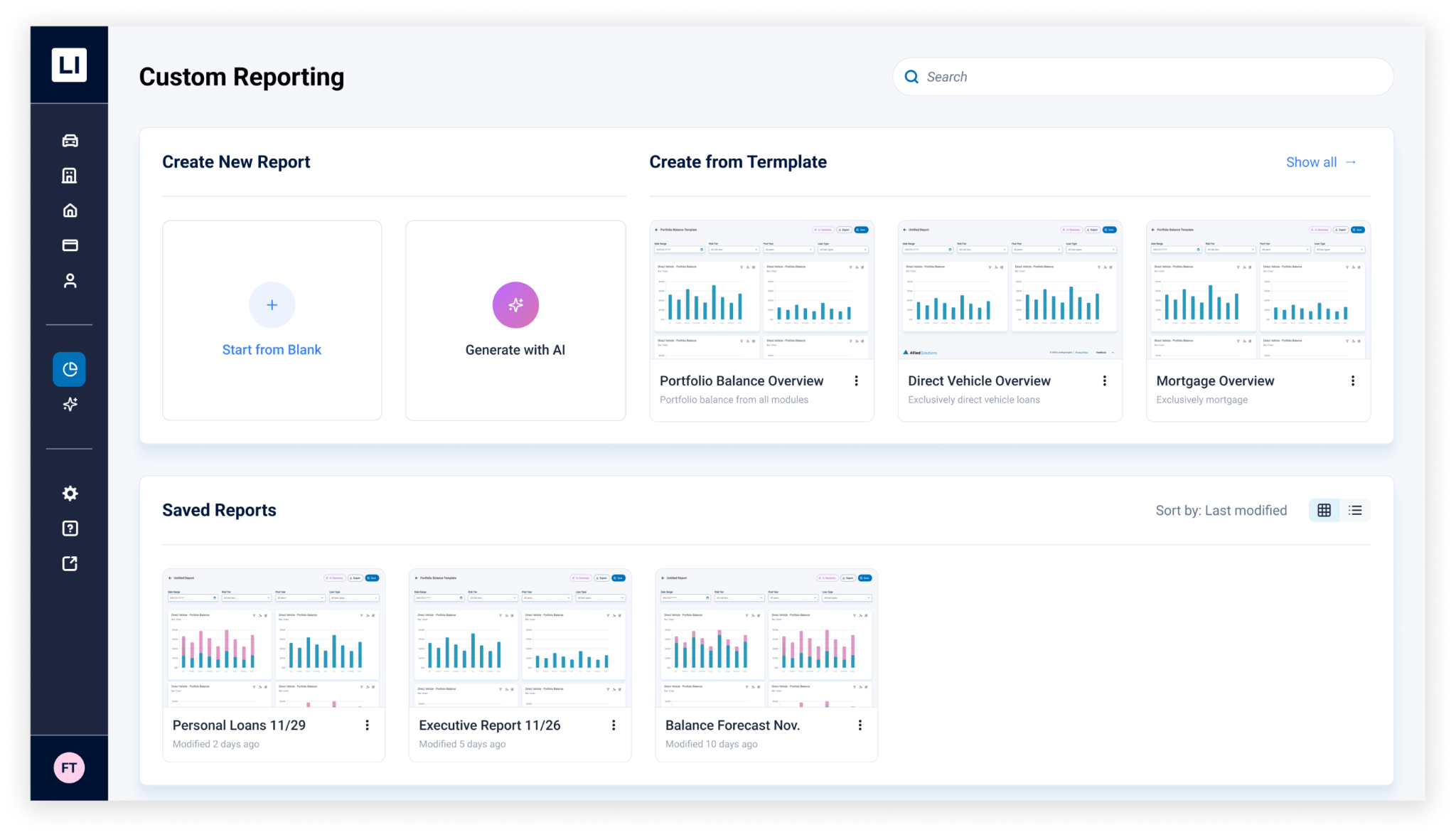
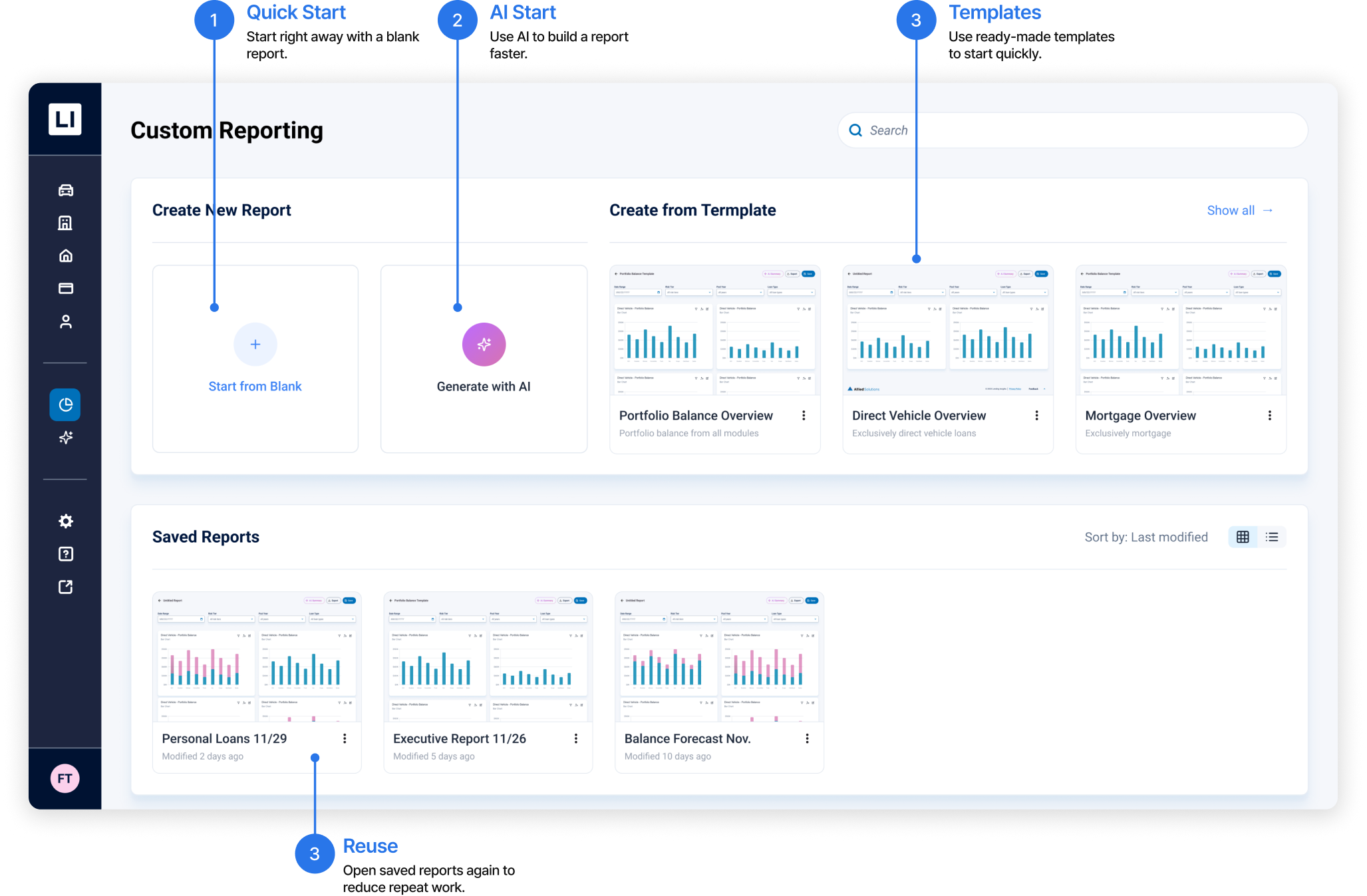
We simplified the starting point so users can begin right away. Blank reports, AI generation, templates, and saved reports help reduce repeat work.
Report builder
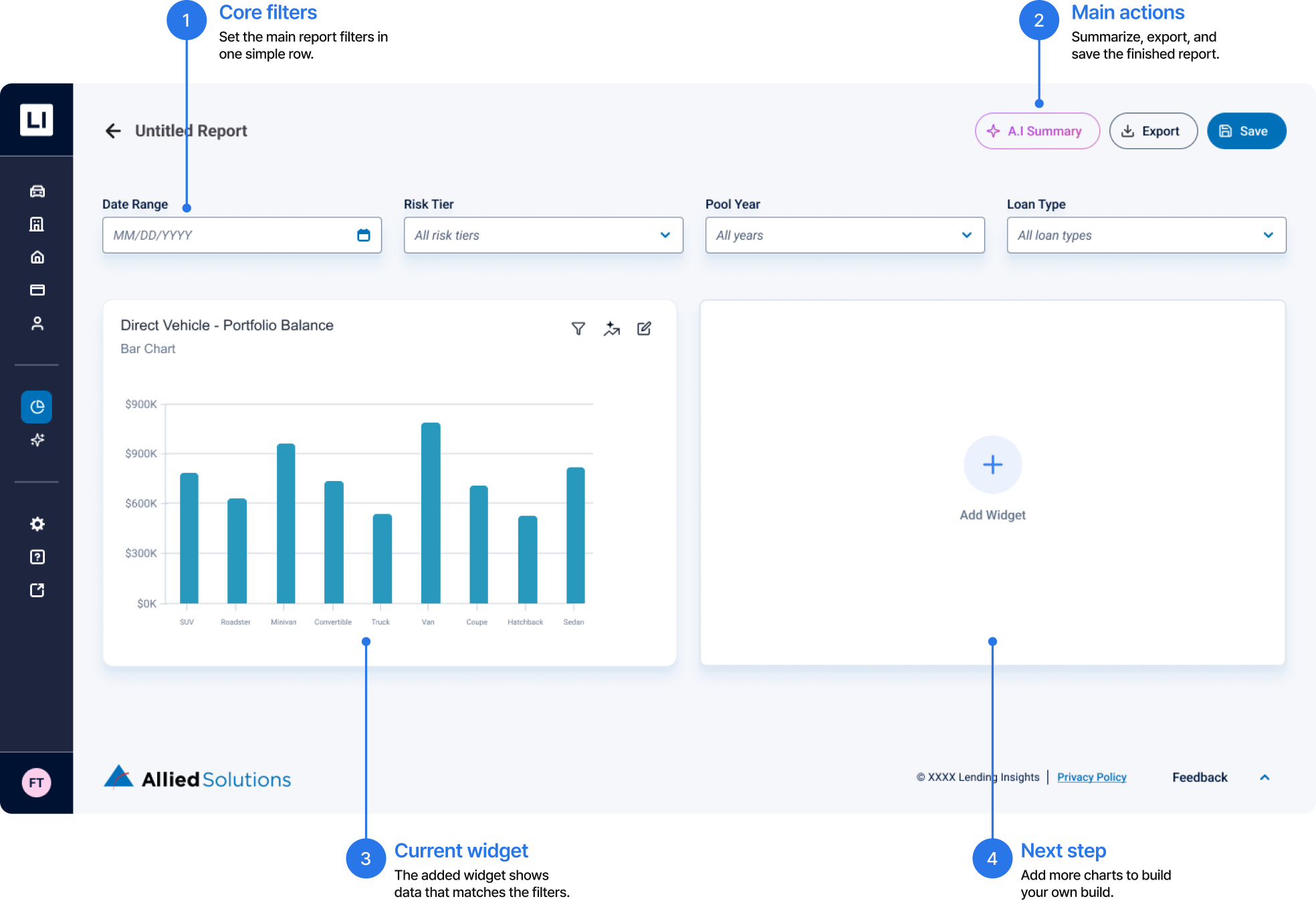
Core filters are organized in one row, and a widget based canvas makes the report building flow easier to understand
Widget builder
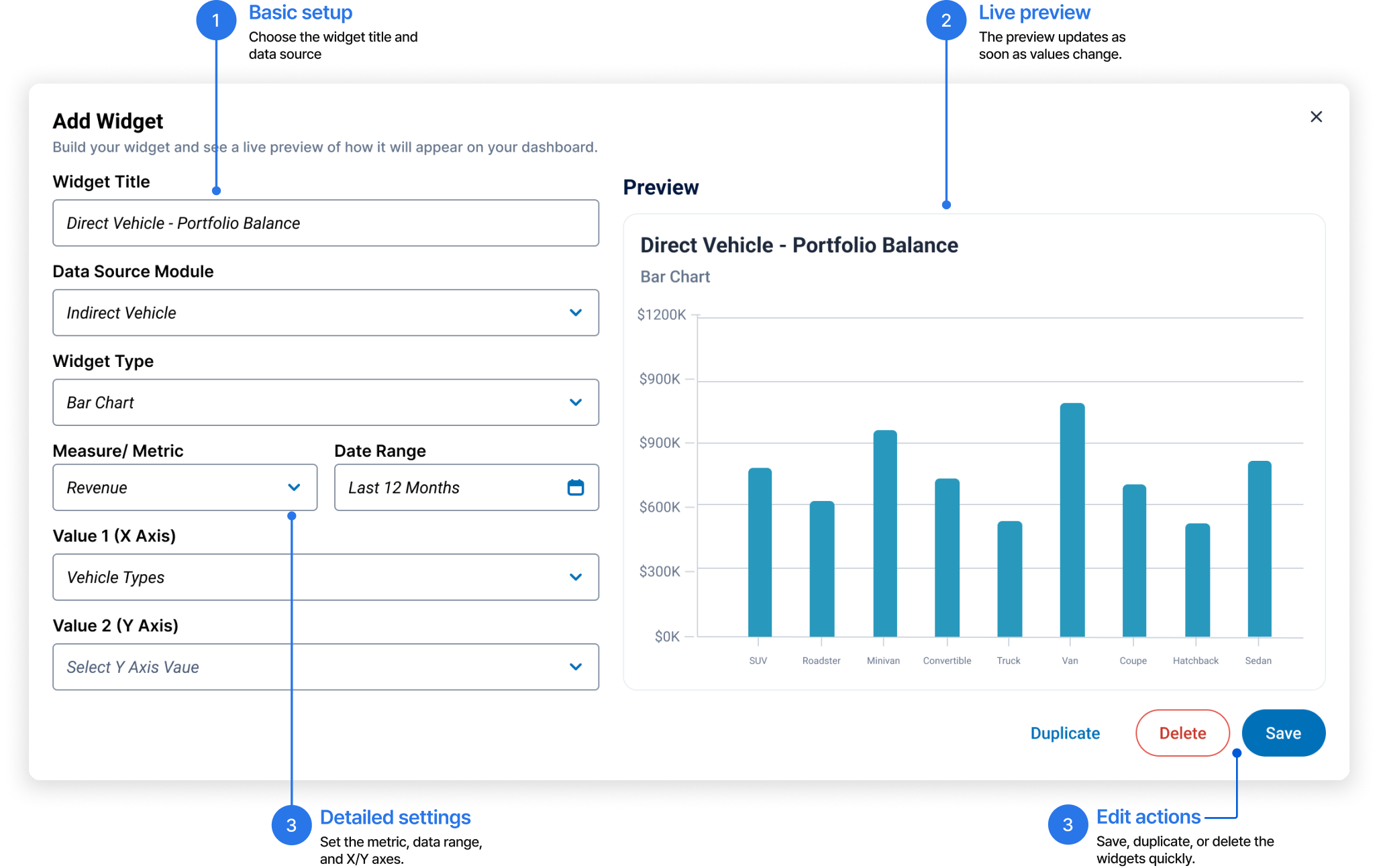
Users can choose the title, data source, chart type, metric, data range, and X/Y axes in chart. The preview updates right away and reduces trial and error.
AI summary
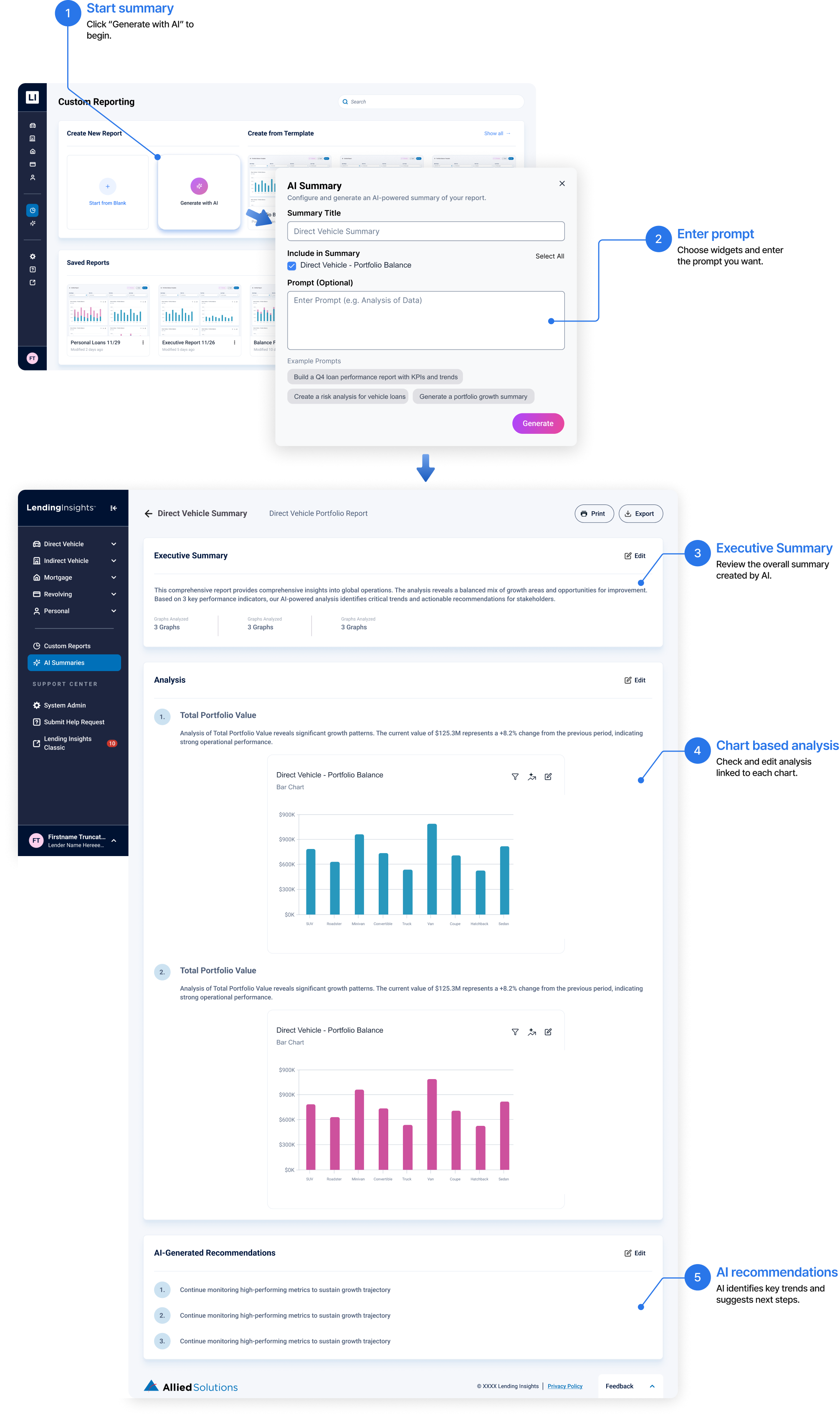
Select widgets and enter a prompt, and AI generates an executive summary and linked analysis. Users can edit, print, and export the result.
Saved summaries
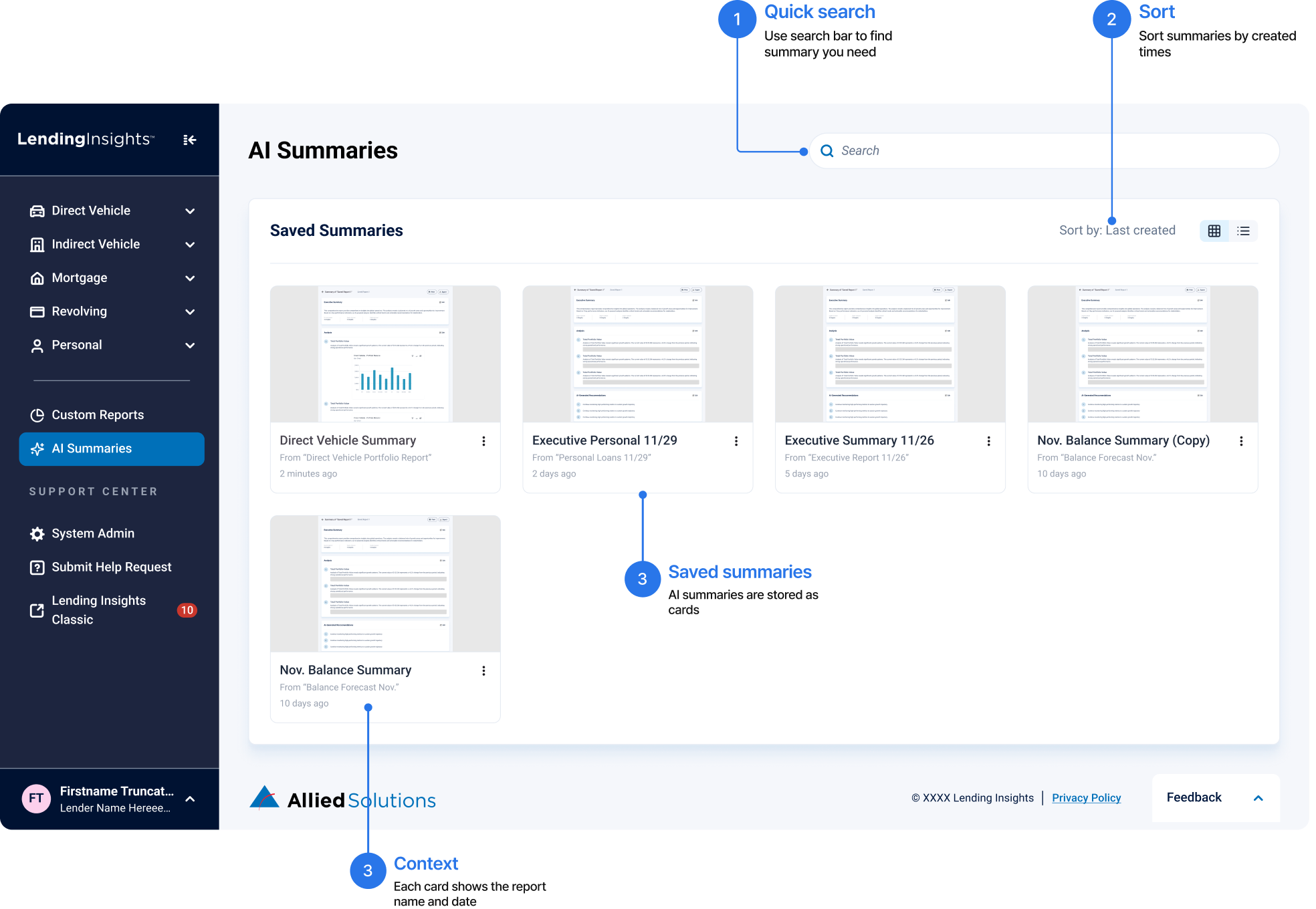
Saved summaries can be searched and sorted, so users do not need to recreate them same analysis again.
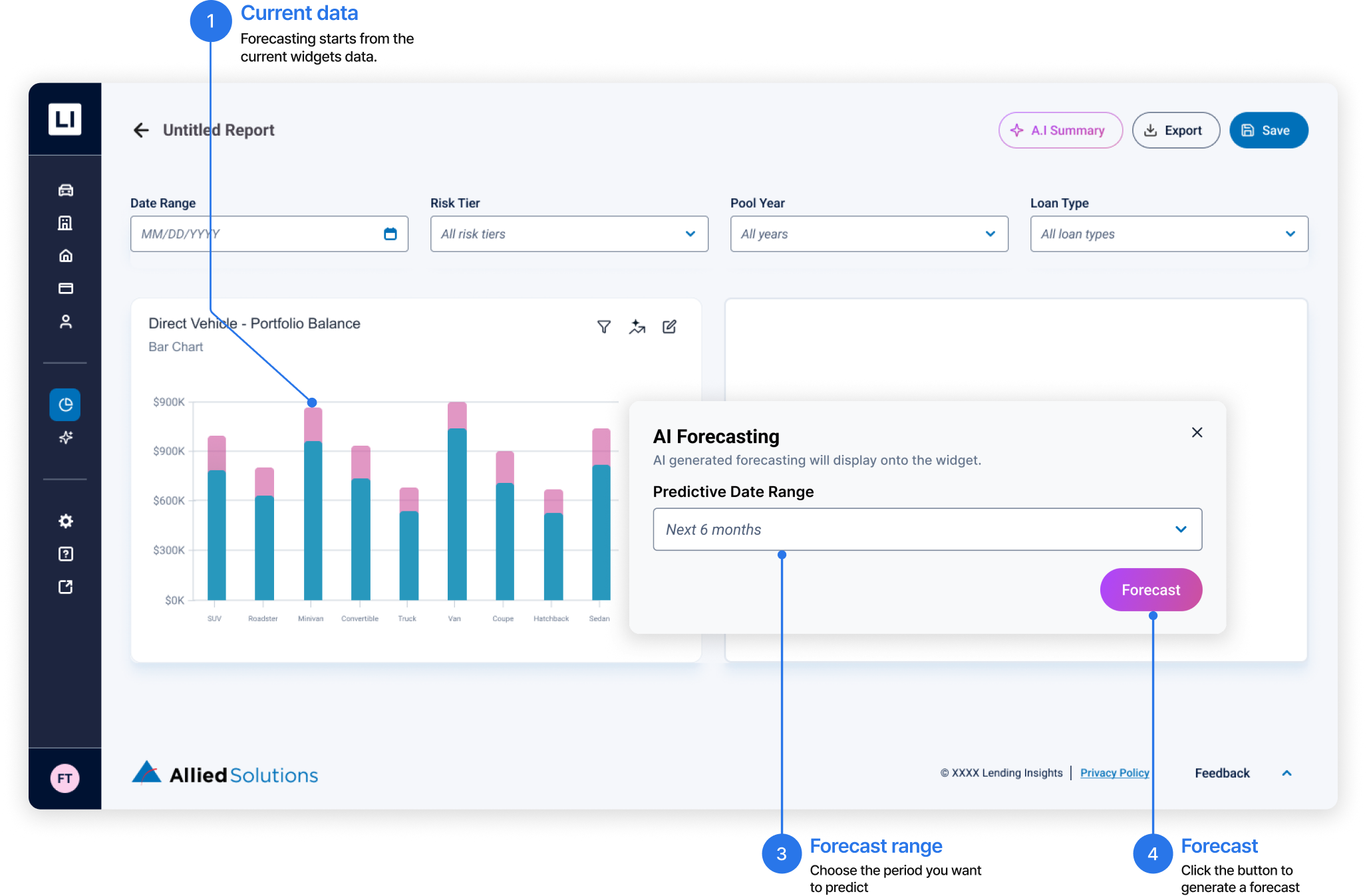
Forecasting
Core filters are organized in one row, and a widget based canvas makes the report building flow easier to understand
Key Learnings
“Through the Allied Solutions project, I learned how to balance simplicity and flexibility. My first instinct was to simplify the interface, but I realized that users still needed detailed information and control to complete their work. The challenge was deciding what should be visible upfront and what users could access or customize when needed. As a product designer, I’ll apply this by understanding what users need for each task before deciding what to prioritize, hide, or make customizable.”